In modern software development, automating Java project deployment is essential for delivering stable, secure, and fast applications. Deployment automation reduces human errors and accelerates development, ensuring high-quality releases. This guide covers everything from installing Java on servers, building projects, automating CI/CD, to Zero Downtime Deployment strategies, and VPS hosting.
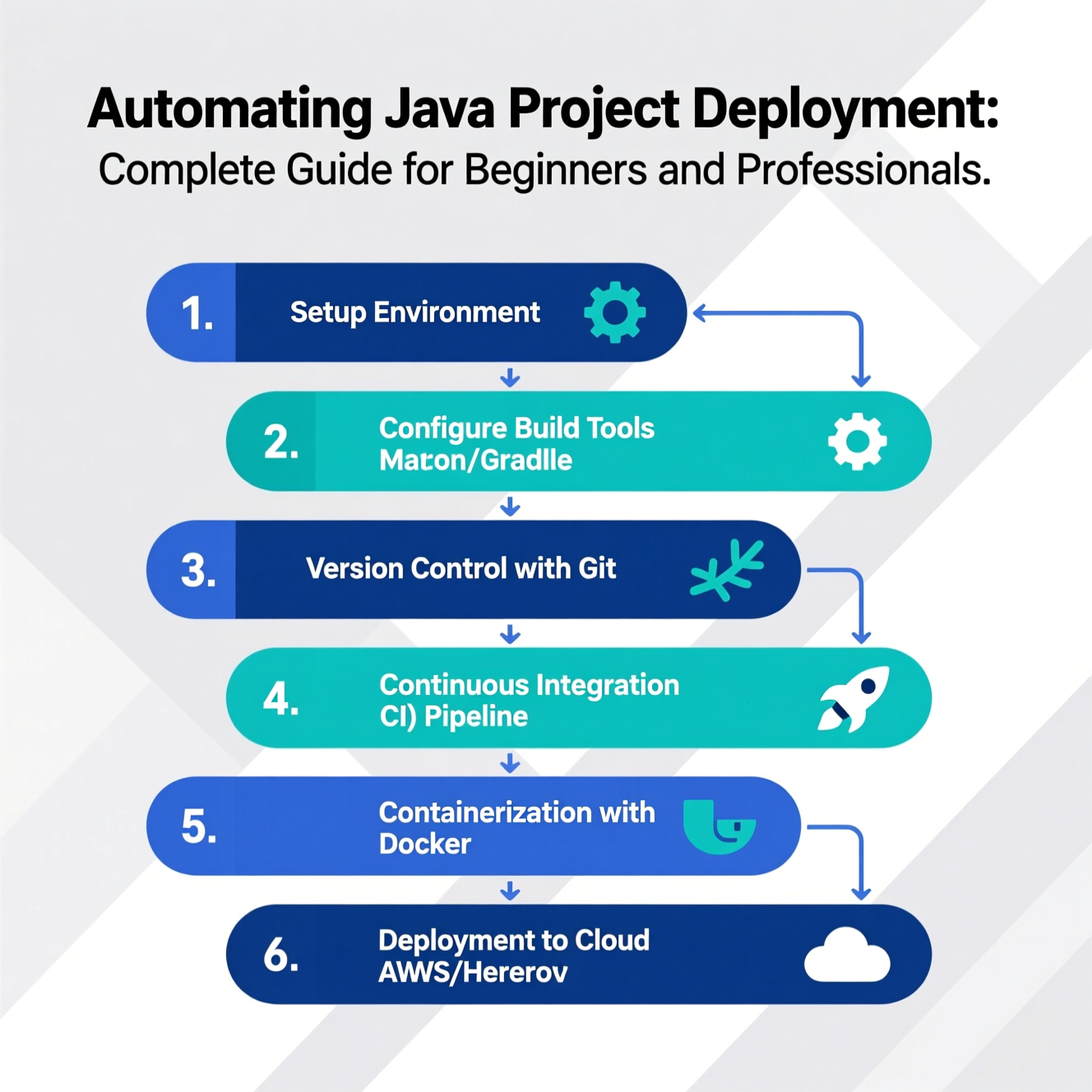
Deployment automation turns manual deployment steps into automated workflows using specialized tools. It includes:
Pulling code from Git repositories automatically
Building projects using Maven or Gradle
Running unit and integration tests
Analyzing code quality with tools like SonarQube
Packaging applications into JAR or WAR files
Deploying automatically to servers or cloud environments
Main benefit: Faster releases, fewer human errors, and stable applications.
Dependency management via pom.xml
Lifecycle stages: Build → Test → Package → Deploy
Publish packages to central repositories
Faster, more flexible; supports Java, Kotlin, Groovy
Easy CI/CD integration
Custom build scripts
Unit testing framework
Detects issues before deployment
Integrates with Jenkins or GitHub Actions
Update packages:
Install OpenJDK:
Check installation:
Set JAVA_HOME:
Run the app:
Download JDK from Oracle official site
Set JAVA_HOME and Path
Run via PowerShell:
Convert the app into a Windows service using AlwaysUp or Apache Commons Daemon (Procrun) for automatic startup.
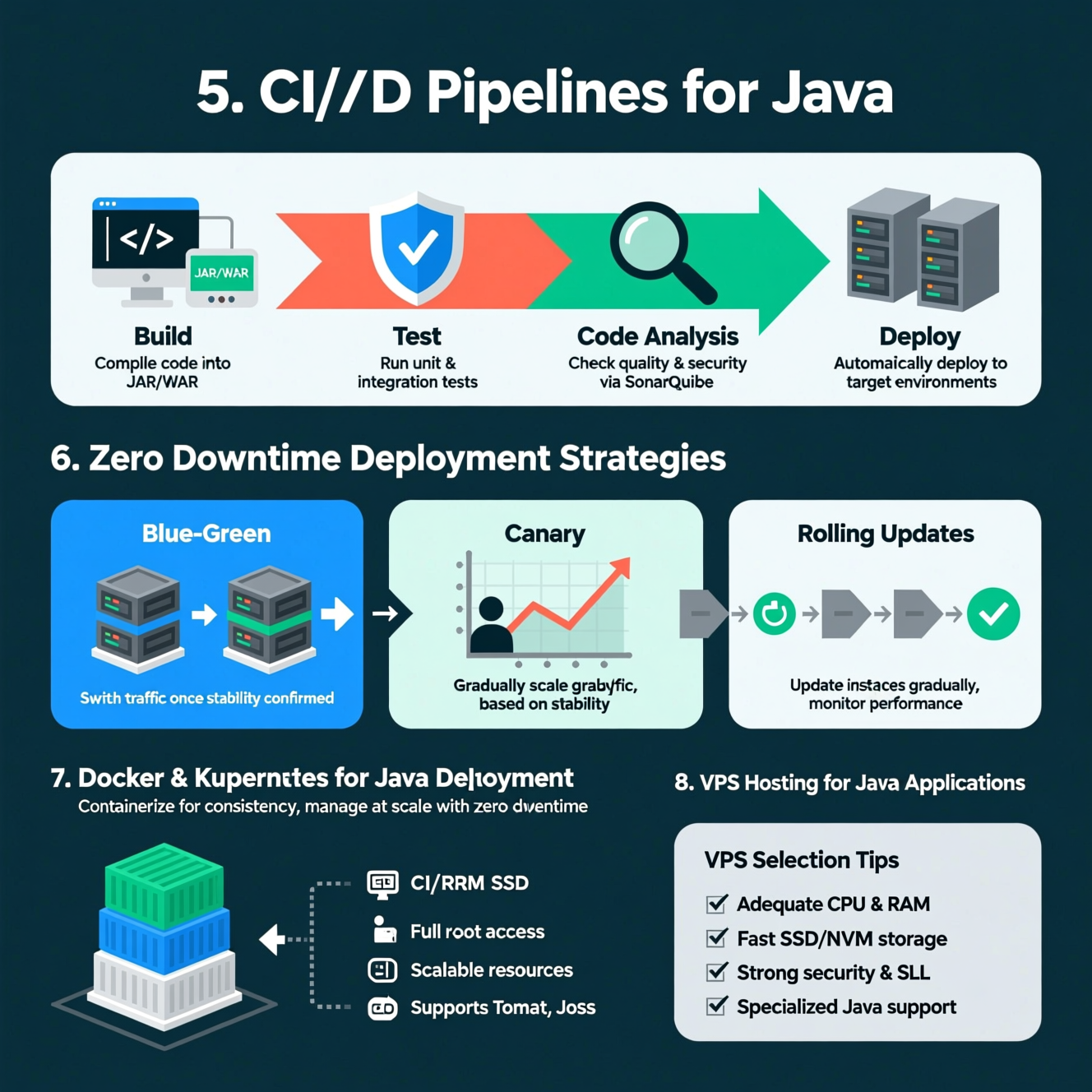
Build: Compile code into JAR/WAR
Test: Run unit and integration tests
Code Analysis: Check quality and security via SonarQube
Deploy: Automatically deploy to target environments
Jenkins: widely used and open-source
GitHub Actions: for GitHub-hosted projects
GitLab CI/CD: full integration with GitLab
Travis CI: cloud-based automation
Two identical environments: “Blue” and “Green”
Deploy new version to Green
Switch traffic once stability confirmed
Blue remains as backup for rollback
Release new version to a small user subset
Gradually increase traffic as stability is verified
Update application instances gradually
Monitor performance to avoid disruption
Docker: containerize the app for consistent environment
Kubernetes: manage containers, scaling, and zero downtime updates
Integrates with CI/CD pipelines for faster, reliable deployments
Benefits of VPS:
Full server access (root)
Dedicated CPU and RAM for heavy Java apps
Scalable resources as app grows
Supports Tomcat, JBoss, and custom setups
VPS Selection Tips:
Adequate CPU & RAM
Fast SSD/NVMe storage
Strong security and SSL support
Specialized Java support from provider
Plan rollback for every deployment step
Automate database rollback with Flyway
Test rollback strategies beforehand
Set execution time limits for quick recovery
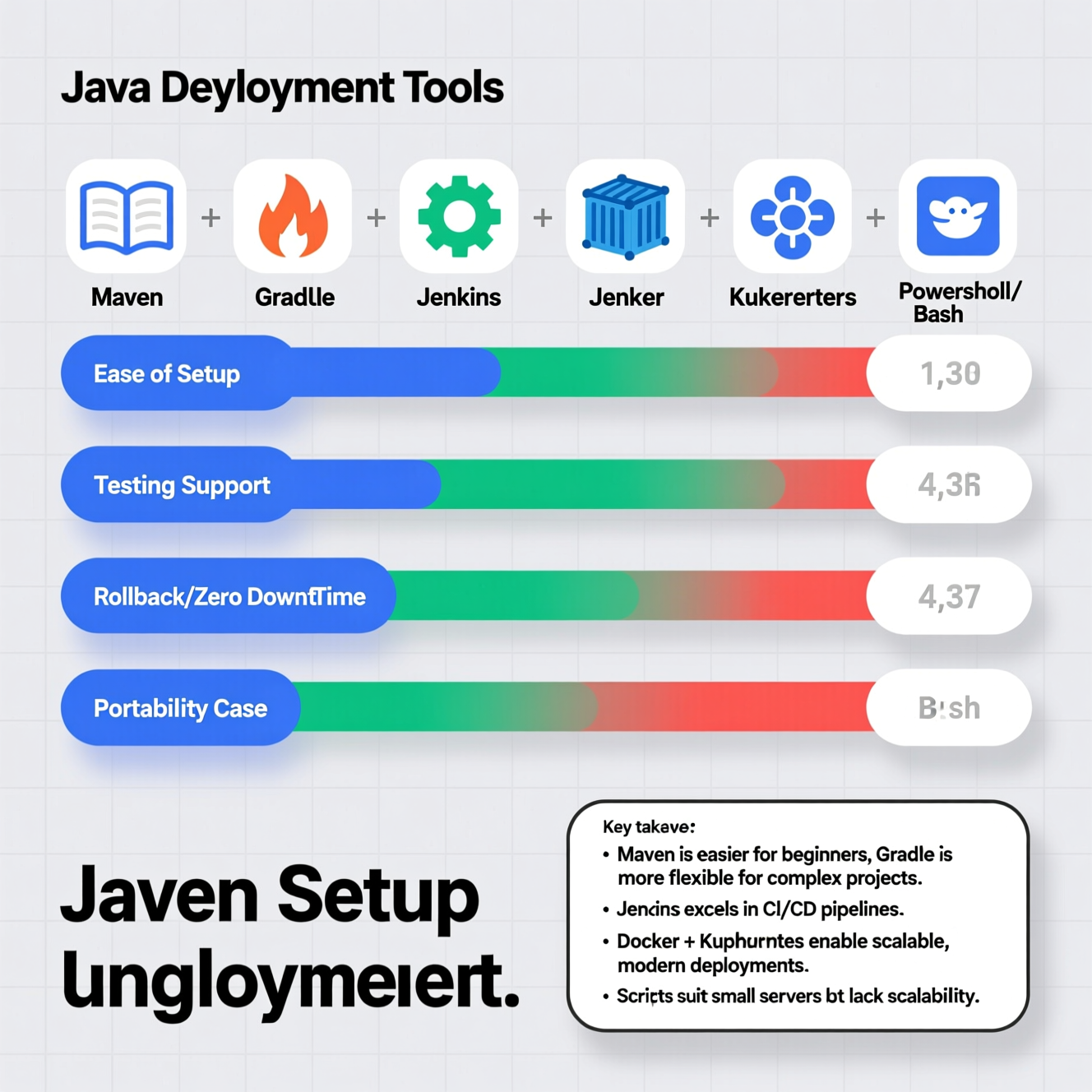
| Feature / Tool | Maven | Gradle | Jenkins | Docker | Kubernetes | PowerShell / Bash Scripts |
|---|---|---|---|---|---|---|
| Ease of Setup | Easy | Moderate | Moderate | Moderate | Advanced | Easy |
| Automation | High | High | Very High | Medium | Very High | High |
| Testing Support | JUnit/TestNG | JUnit/TestNG | Multiple | Limited | Limited | Limited |
| Rollback / Zero Downtime | Medium | Medium | High | Medium | Very High | Low |
| Portability | Medium | Medium | Medium | Very High | Very High | Low |
| Best Use Case | Standard builds | Complex builds | CI/CD pipelines | Portable apps | Enterprise deployments | Simple server deployments |
Key Takeaways:
Maven is easier for beginners; Gradle is more flexible for complex projects.
Jenkins is excellent for managing CI/CD pipelines.
Docker + Kubernetes provide modern, scalable deployments.
Scripts are ideal for small servers but less flexible for large-scale automation.
Backup data before updates
Monitor app performance (APM)
Test new versions in staging environments
Automate DB deployment with Flyway/Liquibase
Integrate Git with CI/CD for safe automatic updates
Q: Do I need Docker for every Java project?
A: Not necessarily, but it ensures consistent environments and portability.
Q: Which server is best for Java apps?
A: Linux (Ubuntu) is highly recommended for performance and stability.
Q: How to implement Zero Downtime Deployment?
A: Use Blue-Green or Canary strategies with continuous monitoring.
Q: Should I use both Maven and Gradle?
A: Use one to avoid complexity.
Q: How to ensure safe rollback?
A: Implement automated rollback with Flyway or DB management tools.
هل تحتاج إلى Windows VPS سريع وآمن وبسعر مناسب؟
شركة EgyVPS بتوفرلك سيرفرات ويندوز جاهزة للاستخدام فورًا.
? تواصل معنا عبر: 201001197157
? أو زور موقعنا: https://egyvps.com
 2019 - 2023 © WELNIZ.LTD. All rights reserved.

 United Arab Emirates (Arabic)
 Worldwide (English)